Fuente original: Adobe Marketo Engage User Groups
Este artículo es un resumen e interpretación editorial de ese contenido. Las ideas son de los autores originales; la selección y redacción son de Marketo Ops Radar.
Este programa de Adobe Marketo Engage User Groups abordó varios temas. Se destacan 4 segmentos por su relevancia. Cada sección enlaza directamente al momento en el video original.
If your team regularly ships emails with misconfigured footer links, this folder-token pattern addresses the root cause without requiring any process enforcement. The URL parameter mechanism for forcing dynamic content is also worth testing in your own instance — it opens up personalization use cases well beyond preference management.
A Native Marketo Pattern for Contextual Unsubscribes Using URL Parameters to Force Dynamic Content
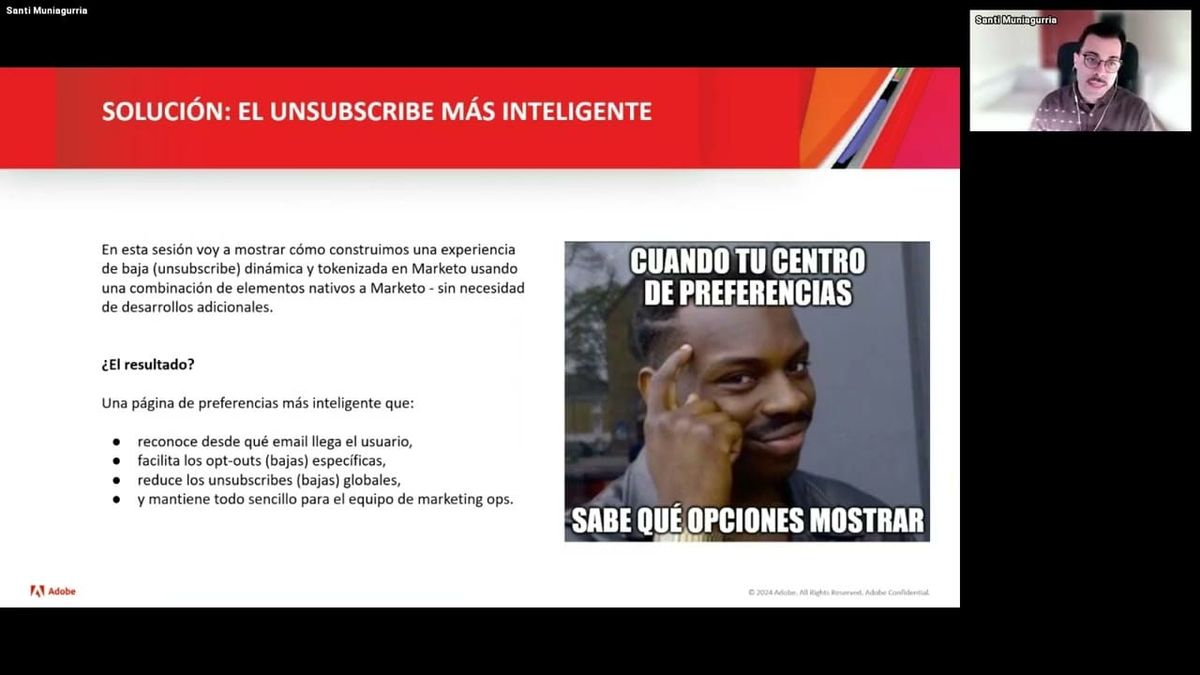
A practitioner demonstrated a 'smart unsubscribe' system built entirely with native Marketo functionality — no custom development required. The architecture combines a tokenized email footer link, a set of microforms (one per subscription type), a segmentation used purely as a container for dynamic content blocks, and a My Token whose value is overridden at the folder level. The key mechanism is an underdocumented Marketo capability: appending a URL parameter in the format ?[SegmentationName]=[SegmentName] to a landing page URL forces that page to render the dynamic content block corresponding to the named segment, regardless of which segment the recipient actually belongs to.
The folder-level My Token override is equally important to the operational model. By setting the token's default value at each subfolder in the campaign hierarchy, emails automatically inherit the correct unsubscribe URL parameter simply by being created in the right folder. This eliminates a common manual error — misconfigured footer links — without requiring the sending team to understand the underlying mechanism.
Over a six-month post-launch window, this approach was associated with 232 fewer unsubscribes compared to what would have been projected at the prior baseline rate, across a period in which significantly more emails were sent. The pattern is worth noting both for its outcome and for how it encapsulates complex logic behind a simple governance rule: correct folder placement is the only operational requirement.
"When we explained that all they needed to do was put the email in the correct folder, they were very happy — they didn't need to understand the tokens, URL parameters, or dynamic content at all."
Seven Deliverability Recommendations Including Trusted IP Pools and Per-Person Engagement Scoring
A practitioner outlined seven actionable recommendations for improving inbox placement, two of which stand out as non-obvious for most mid-market Marketo teams. The first is Marketo's Trusted IP sending range program: senders on shared IP pools who demonstrate consistently positive engagement metrics can apply to be placed in a higher-reputation shared pool, providing a middle path between standard shared infrastructure and the cost of a dedicated IP. The second is calculating per-person open and click rates — rather than relying on aggregate campaign metrics — using score fields to count sent, opened, and clicked events over a rolling window, then using a formula-capable flow step to derive individual engagement rates. This per-person rate is then used to segment sends during reputation recovery, targeting only high-engagement contacts first.
The remaining recommendations form a coherent reputation management workflow: measure inbox placement at least monthly using seed-list tools; validate your list with a service that also reports ESP distribution (knowing whether your database skews toward Gmail, Outlook, or other providers allows you to weight the inbox placement report results by actual database composition); implement email throttling to reduce the volume spike that ESPs see from a single send; and act on the provider-specific recommendations surfaced by your inbox placement tool.
The ESP distribution insight is practically significant. A deliverability problem in an ESP that represents a small fraction of your database is lower priority than the same problem in your dominant provider — and without cross-referencing your list validation data against your inbox placement report, you can't make that prioritization call accurately.
"When you want to rebuild your sender reputation, segment your database and send only to those with high individual click rates — that way you're guaranteeing your reputation improves because you're only reaching the people you know will engage."
How Marketo's URL Parameter Dynamic Content Override Actually Works — and Why Segment Membership Is Irrelevant
A critical implementation clarification emerged during Q&A on the smart unsubscribe architecture: when using URL parameters to force dynamic content on a Marketo landing page, the system does not evaluate which segment the visiting person belongs to. The parameter directly instructs the page to render the content block associated with the named segment, bypassing segment membership entirely. This means a person subscribed to multiple lists — who would ordinarily fall into only one segment — sees the correct microform for the email they clicked, not the form corresponding to their assigned segment.
A related detail: the segment smart lists in this pattern were intentionally non-selective (using a condition that all records would match), making every segment function as an empty container. The segmentation exists solely to enable dynamic content on the landing page, not to classify the audience. This distinction is important for practitioners attempting to replicate the approach — the smart list logic is irrelevant to the outcome; the URL parameter is doing all the work.
This clarification resolves a potential gotcha: someone unfamiliar with this behavior might assume the parameter only works if the person is actually a member of the target segment, which would break the use case for multi-list subscribers.
"The parameter forces the landing page to display the dynamic content block corresponding to that segment, but it completely ignores which segment that person actually belongs to."
Using Seed-List Tools to Get ESP-Level Inbox Placement Visibility — and Why Aggregate Rates Mislead
A practitioner walked through a live inbox placement test using a seed-list-based measurement tool, demonstrating how these services work: a tracking code is embedded in the test email, which is then sent to a panel of monitored mailboxes across major ESPs. The tool reports back inbox, spam, tabs, and missing rates broken down by provider — distinguishing, for example, between Gmail personal and Google Workspace accounts, and between Hotmail and Office 365 within the Microsoft ecosystem. A real test result shown during the session illustrated how dramatically placement can vary by provider: one provider showed 100% inbox delivery while another showed 87% to spam for the same send.
The practitioner emphasized that the aggregate inbox rate is less actionable than the provider-level breakdown. A poor average can mask strong performance with a dominant provider, or it can be dragged down by an ESP that represents a negligible share of a given database. The tool also surfaces a content analysis layer and provider-specific action step recommendations, which the session reviewed briefly.
On tool selection: the quality and statistical reliability of these services scales with seed list size. A panel of 110–120 mailboxes provides directional signal and trend data, while larger panels (reportedly 1,000+ in some enterprise-tier offerings) provide higher statistical confidence. For most teams, the trend over time and provider-level pattern are more useful than any single data point.
"You can have excellent inbox placement with Gmail and 87% going to spam in Outlook from the exact same send — without provider-level granularity, you're optimizing blind."
También se menciona en este vídeo
- Comparte una anécdota personal sobre una experiencia abrumadora… (3:05)
- El tema de la bandeja de entrada, explica el proceso de entrega de correos… (21:09)
Resumen de Adobe Marketo Engage User Groups · 48:09. Todo el mérito corresponde a los creadores originales. Streamed.News resume contenido de vídeo disponible públicamente.