Original source: Adobe Marketo Engage User Groups
This article is an editorial summary and interpretation of that content. The ideas belong to the original authors; the selection and writing are by Marketo Ops Radar.
This video from Adobe Marketo Engage User Groups covered a lot of ground. 3 segments stood out as worth your time. Everything below links directly to the timestamp in the original video.
If you're building or inheriting a Marketo-to-warehouse pipeline, the four-step async export pattern and its concurrency constraints are the most likely source of silent failures. Understanding the queue model before you scale is cheaper than debugging it after.
Marketo Bulk Export Is a Four-Step Async Process — Know the Queue Before You Build a Pipeline
A common architectural misconception addressed in this session is that Bulk APIs operate on a fundamentally different infrastructure from standard REST endpoints — they do not. Both use HTTPS and OAuth 2.0 authentication. The distinction is architectural intent: standard REST endpoints are optimized for small, synchronous payloads (with a per-call record ceiling that makes large extracts impractical at scale), while Bulk APIs are designed for high-volume, asynchronous data movement.
The four-step export process — create job, enqueue job, poll status, extract data — is sequential and non-negotiable. A job does not begin processing until it is explicitly enqueued via a separate API call, a step practitioners sometimes omit when first building automations. Status polling is required to determine when extraction is safe; the job transitions through queued, processing, and completed states. Only on completion should the extract call be made, referencing the original job ID throughout.
A critical operational constraint discussed is the bulk export concurrency model: only two jobs can run simultaneously, with a maximum queue depth of ten. Additionally, a default 50GB export quota applies per rolling period, and exceeding it triggers a hard error. An example shared in the session illustrates a common production pattern — nightly batch jobs that cycle through these four steps to extract lead and activity data into a downstream data warehouse. Teams building or inheriting such pipelines should audit both the queue depth and gigabyte consumption to avoid silent failures.
"A lot of my clients have nightly batch jobs running where they are exporting activity data, lead data, and feeding all of that data into their data warehouse solution for further analysis."
Two Underused Approaches for Marketo API Automation: Python Loop Scripts and Power Query in Excel
Two practical, lower-barrier approaches to Marketo API integration were demonstrated in this session. The first involves using a publicly available Python library to write API calls directly against Marketo endpoints. A concrete use case shared: looping through asset IDs to bulk-approve a large volume of draft assets — a task that is operationally tedious through the UI at scale but straightforward to automate with a simple iterative script. The approachability of a free IDE and an open-source library lowers the entry point for practitioners who haven't written API integrations before.
The second approach — Power Query in Excel — was framed explicitly as underutilized. It enables practitioners to pull Marketo API data directly into a spreadsheet without any intermediate data infrastructure. Authentication parameters and filters are embedded in the query, and the result set populates as a formatted table that can be scheduled to refresh. The practical implication is significant for teams that lack a data warehouse or BI tooling: ad-hoc analysis that would otherwise require exporting a static list through a smart campaign can instead be driven live from the API, mixed with other data sources in Excel, and refreshed on demand.
Both techniques are positioned as starting points rather than production architectures, with detailed implementation steps promised via a follow-up blog post. The session's framing reinforces a recurring pattern: many Marketo practitioners are closer to API-level automation than they realize, and the activation barrier is often documentation and a working example rather than technical complexity.
"Power Query is a very underutilized feature. You can get all the data out of Marketo using the APIs seamlessly into the Excel spreadsheet itself — no need to build out a static list, run a smart campaign, make the CSV export, and then analyze it."
Marketo API Limits Are a Shared Resource Problem — Know All Three Thresholds Before You Hit One
Marketo enforces three distinct API limits that operate independently and trigger different error responses: a daily call quota (defaulting to 50,000 calls, resetting at midnight Central), a rate limit of 100 calls per 20-second window, and a concurrency limit of 10 simultaneous in-flight calls. A recurring pattern noted in the session is that the daily quota is the most commonly exhausted, particularly in environments where multiple integrations — native connectors, middleware platforms, and custom scripts — are all drawing from the same quota pool without coordinated governance.
The operational consequence of quota exhaustion is not graceful degradation — it is hard failure. Mission-critical sync processes, lead routing, or scoring updates that depend on API calls will simply stop working until the quota resets or is increased. The distinction between error types matters for troubleshooting: exceeding the daily quota and exceeding the concurrency limit return different error codes, and recognizing which threshold was hit determines the correct remediation path.
A key administrative practice emphasized is proactive monitoring via the Admin > Web Services panel, which surfaces daily API consumption broken down by API user. This granularity makes it possible to identify which integration or user role is consuming disproportionate quota — a diagnostic step that is often skipped until something breaks. The daily quota ceiling can be raised significantly through a contract or CSM request, but practitioners should benchmark actual usage patterns first to make a data-informed case.
"You need as an admin to be very aware of what is your concurrency. Everyone out of the box gets 50,000 calls a day, but you can actually maximize that to 1.5 million calls a day — it really depends on what is the need of the business."
Also mentioned in this video
- Presenters deliver an API crash course covering what APIs are, the types of… (8:44)
- The prerequisites for making a first Marketo API call, including creating an… (15:28)
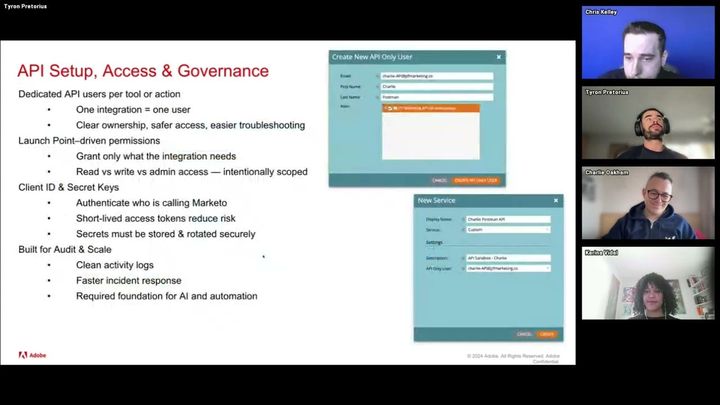
- Presenters discuss API security best practices including creating role-specific… (22:46)
- Presenters clarify the difference between webhooks and API calls, explaining… (28:34)
- Cloud integration concepts including serverless compute (AWS Lambda vs. EC2),… (44:25)
Summarised from Adobe Marketo Engage User Groups · 58:36. All credit belongs to the original creators. Streamed.News summarises publicly available video content.