Original source: Adobe Marketo Engage User Groups
This article is an editorial summary and interpretation of that content. The ideas belong to the original authors; the selection and writing are by Marketo Ops Radar.
This video from Adobe Marketo Engage User Groups covered a lot of ground. 5 segments stood out as worth your time. Everything below links directly to the timestamp in the original video.
If you've ever inherited a Marketo instance where programs are unsearchable and automation logic is scattered everywhere, this structural pattern is the preventive remedy. Enforcing it at template level is what makes it stick.
Two-Folder Program Structure and Naming Conventions That Scale
A practitioner walked through a foundational but frequently neglected program architecture pattern: separating smart campaigns (all automation and logic) from assets (emails, landing pages, lists, reports) into two distinct folders within every program. The rationale is operational clarity — when troubleshooting or iterating, knowing exactly where logic lives versus where creative assets live eliminates ambiguity and reduces the cognitive load on anyone inheriting or collaborating on a program.
On naming conventions, the recommended pattern uses a channel abbreviation prefix, followed by date in descending order (year, month, day), then a descriptor tied to the marketing initiative. This structure makes global search reliable and supports sorting behavior natively within the platform. The presenter also recommended adding a short program description at creation time — a small habit that pays outsized dividends when returning to programs weeks or months later.
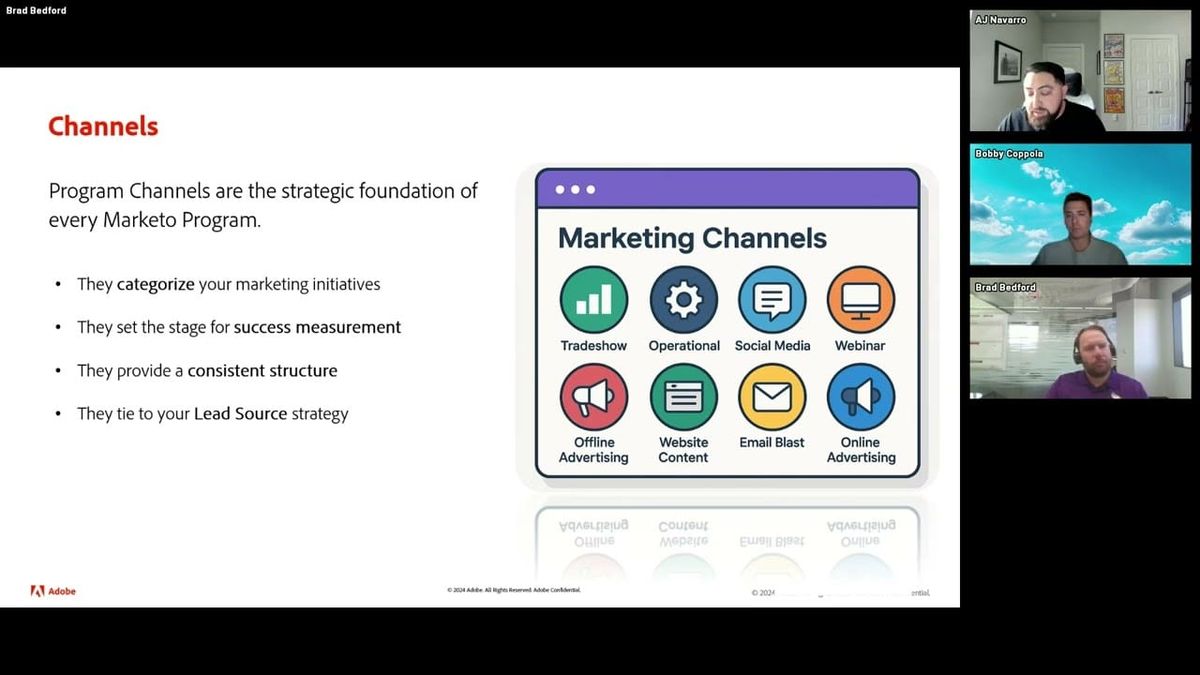
Channel alignment was framed not as a cosmetic choice but as a functional one: the channel selected at program creation governs the progression statuses available and shapes downstream reporting. Teams inheriting a default channel configuration were encouraged to audit those settings against their actual lead source strategy and CRM stage mapping before relying on them.
"These steps, while they may seem minor, doing this and building the program in a structured way lays a solid foundation for your Marketo Engage instance."
Building a Center of Excellence: Program Templates and Folder Hierarchies That Serve Reporting
A practitioner made the case that a center of excellence in Marketo is not a governance document — it's a set of structural decisions baked into the instance itself. The core mechanism is a channel-organized top-level folder structure (events, webinars, email blasts, etc.) with a reusable program template sitting at the top of each channel folder. One non-obvious implementation detail: prefixing template folder names with a numeral exploits Marketo's sort order (numerical before alphabetical), ensuring templates always surface at the top of each folder without requiring users to hunt for them.
The value of templates was framed in three dimensions: reducing the knowledge burden on new or infrequent users, compressing program setup time, and enforcing consistency across an organization where multiple people build programs. Crucially, templates were described as living documents — when a practitioner repeatedly finds themselves adding the same flow step or asset to a program type, that addition belongs in the template.
The folder hierarchy below channel level was illustrated with a region-then-quarter nesting pattern used at one global organization. Beyond organizational tidiness, this structure has a direct reporting payoff: filtering an email performance report to a specific region and time period becomes a matter of selecting two folders rather than manually enumerating individual programs.
"If you have different users in your organization that are coming in and building programs, they're not going to have to remember the 17 different things they need to do to get a webinar program stood up. Those are all going to already be done for them."
Five Operational Practices That Protect Deliverability, Instance Health, and Data Integrity
A practitioner outlined a set of instance-level operational practices framed as foundational to-dos when setting up or inheriting a Marketo environment. The most analytically interesting was the master exclusion list pattern: a centralized smart list containing suppression filters (unsubscribed, invalid email, marketing suspended, blocklisted, plus any business-specific exclusions) applied to every email send. The non-obvious benefit highlighted was that pre-filtering at the smart list level drives Marketo's blocked-send count to zero at send time — meaning the platform's own deliverability protections become redundant because the exclusion work is already done upstream.
Archiving was described not just as housekeeping but as an instance performance mechanism: inactive trigger campaigns embedded in unarchived programs continue running in the background, and archiving programs deactivates those campaigns, visibly improving instance responsiveness. The recommendation was a quarterly cadence for most instances.
On data quality, the practitioner described a team practice of requiring the program owner to review and approve the smart list population before any send — a lightweight governance step that catches filter logic errors (such as an incorrect operator) before they affect send volume at scale. CRM integration was treated as a prerequisite rather than an enhancement: the argument was that marketing activity data has limited operational value if it doesn't flow into the system where sales acts on it.
"With great power comes great responsibility. When you're using these filters that can make your list 600,000 people or 10,000 people, one little filter logic error can really affect what your smart list actually looks like from a people perspective."
Batch vs. Trigger Campaigns: Architectural Patterns and Practical Use Cases
A practitioner walked through the structural distinction between batch and trigger campaigns with enough use-case depth to make the architectural implications concrete. Batch campaigns execute against a defined population at a scheduled time — useful for email sends, one-time data corrections, or recurring drip programs that need to periodically sweep for new entrants to a smart list. Trigger campaigns are always-on listeners that execute a flow when a qualifying action occurs, making them appropriate for real-time automation: form fills, web activity, lead scoring updates, sales alerts, and cross-team data handoffs.
The cross-team coordination use case was particularly well-articulated: a trigger listening for a CRM data value change allows a downstream Marketo action to execute automatically when another team updates a record — no manual monitoring required. This pattern effectively turns Marketo into a reactive automation layer sitting on top of CRM activity.
A more advanced pattern discussed was layering filters onto triggers to create conditional branching at the campaign level. The example used compliance context (country-specific GDPR requirements) to illustrate how the same triggering action can route people through different flows based on a static filter value. This avoids building separate programs for each regulatory variant and keeps conditional logic consolidated within a single campaign structure.
"Trigger campaigns are always on and they are listening for something to happen, which then executes the flow of what you want to occur when that action takes place."
Click-to-Open Ratio as an Isolated Content Quality Signal: A KPI Framing Worth Adopting
A practitioner walked through three core Marketo report types — email performance, email link performance, and people performance — with the most analytically useful discussion centered on KPI selection for email reporting. The argument for click-to-open ratio over click percentage was framed around variable isolation: click percentage (clicks divided by emails delivered) is heavily influenced by open rate, meaning a poor subject line will suppress click percentage regardless of email content quality. Click-to-open ratio (clicks divided by opens) isolates content performance from subject line and send-time variables, giving a cleaner signal about whether the email itself is working.
A worked example made this concrete: an email with a low open rate but a high click-to-open ratio indicates the content and CTA are effective — the problem is subject line or send timing, not the body of the email. This framing prevents misdiagnosed optimization efforts.
The people performance report was positioned as an underutilized database segmentation diagnostic rather than a campaign analytics tool. It allows practitioners to break down any population by a field attribute — job seniority, job function, country, region — and return counts per value. This makes it useful for answering database composition questions quickly without building a custom smart list for each inquiry.
"Click-to-open ratio is focusing exclusively on the email content strength. If you have a low open rate but eight of those ten people clicked through, that's an 80% click-to-open ratio — my email content is spot-on, it's just my subject line or maybe the time of day that I'm sending was the issue."
Also mentioned in this video
- Program tags as underrated metadata labels that can be applied to programs to… (7:23)
- Channels define the strategic framework and program statuses for each Marketo… (8:54)
Summarised from Adobe Marketo Engage User Groups · 54:47. All credit belongs to the original creators. Streamed.News summarises publicly available video content.