Original source: Adobe Marketo Engage User Groups
This article is an editorial summary and interpretation of that content. The ideas belong to the original authors; the selection and writing are by Marketo Ops Radar.
This video from Adobe Marketo Engage User Groups covered a lot of ground. 2 segments stood out as worth your time. Everything below links directly to the timestamp in the original video.
If your team is evaluating or mid-migration to the new Marketo email designer, these workarounds address the gaps that adoption guides won't mention. The hybrid editing pattern in particular offers a pragmatic middle path that doesn't require waiting for feature parity.
Bridging the Gap: Practical Workarounds for the New Marketo Email Designer's Core Limitations
A practitioner outlined a hybrid editing strategy for teams migrating to the new email designer: build structurally complex sections in Email Editor 2.0, then import them into the new designer to handle simpler, editable content areas. This approach reduces developer dependency for routine sends while preserving the ability to handle advanced layout requirements — such as nested column structures within background image sections — that the new designer cannot yet render natively.
Several specific limitations were enumerated with corresponding workarounds. The absence of full HTML/CSS access in the new designer was addressed by routing complex code work through fragments and Email Editor 2.0. Restricted font support was worked around by rendering custom-font headings as images. Limited layout flexibility was mitigated by investing upfront in locked master templates with brand elements protected at the fragment level, enabling campaign-level customization without structural risk.
Two operational cautions stood out. First, AI-generated content in the new designer was flagged as requiring mandatory human validation before deployment — a reminder that automation assistance does not replace editorial review. Second, the new designer's built-in device previews were noted as insufficient for cross-client QA; third-party rendering tools remain necessary to cover email clients not represented in the native preview set. For teams with a backlog of Email Editor 2.0 templates, a planned collaboration with developers to rebuild reusable, designer-compatible master templates was recommended as the path toward long-term consistency.
"If you want to use it again and again, the best use case is to create a master template once it is developed with the new email designer — then you can use it again and again to improve efficiency and decrease dependency on developers."
New Email Designer in Practice: Fragments, Publish Workflow, Link Validation, and the Send-Proof Gap
A practitioner walked through the new Marketo email designer live, highlighting the functional differences that matter most to experienced users. The most operationally significant distinction covered was between fragments and snippets: unlike snippets, fragments support element-level editability, meaning specific components—such as a CTA button or image—can be marked editable so authors can modify them at the email level without unlocking or editing the fragment itself. This granular control addresses a long-standing frustration with snippet rigidity.
The publish-versus-approve workflow change drew attention as a process shift teams need to internalize: templates must be explicitly published before they appear as options during email creation, replacing the familiar approve step. The link validation panel was highlighted as a standout productivity feature—a centralized view of all links in an email, including placeholder and missing links, surfaced before send rather than discovered post-deployment. The alerts system similarly surfaces empty body or text errors automatically, reducing pre-send checklist overhead.
One community-sourced insight added practical value: the send-proof flow confused enough users in the wild that it warranted explicit demonstration. The proof workflow is initiated through a simulate content path rather than a direct send option, a non-obvious navigation pattern that has caused friction for teams onboarding to the new interface.
"I showcased this feature because I'm checking the community and I got questions that some people are not able to send the proof. They are not able to understand this feature."
Also mentioned in this video
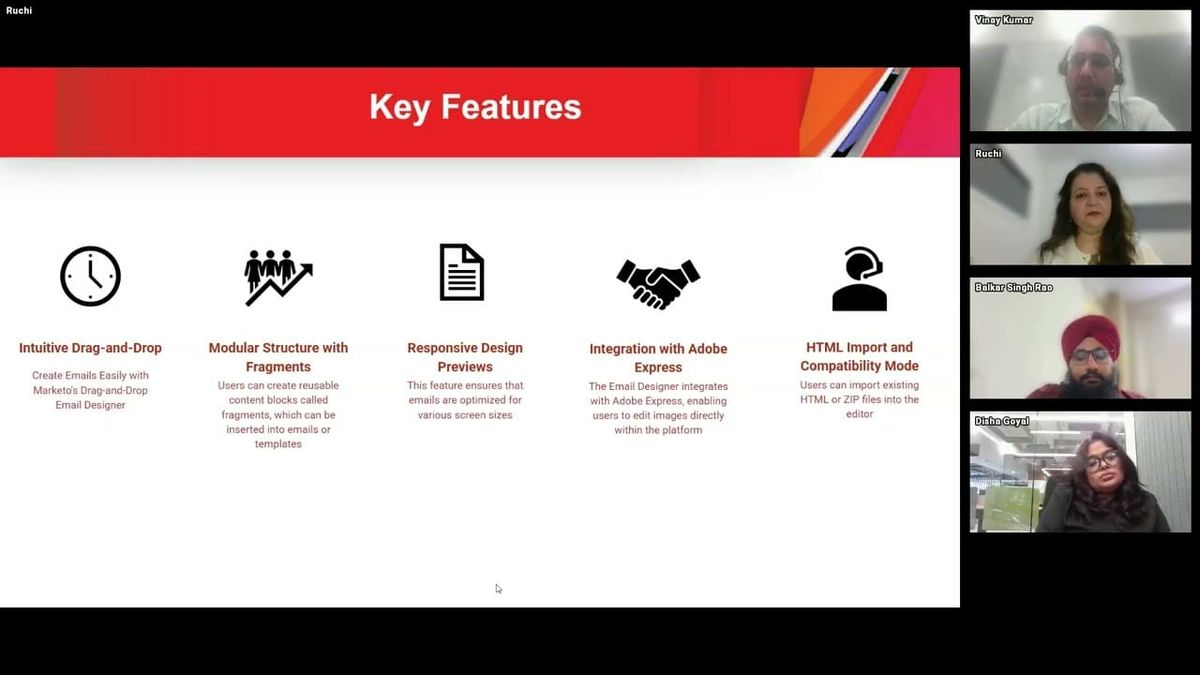
- The key features of Marketo's new email designer, including intuitive… (6:32)
- A feature-by-feature comparison between Email Editor 2.0 and the new email… (27:11)
Summarised from Adobe Marketo Engage User Groups · 45:58. All credit belongs to the original creators. Streamed.News summarises publicly available video content.