
Beyond ChatGPT: Real-world, boring, & effective use cases of AI with Adobe Marketo Engage — Key Takeaways
If your team is manually cleaning field values or translating system errors into human-readable notes, this webhook-to-LLM pattern likely applies to your instance today. The architecture is more reusable than it first appears — understanding the meta-workflow unlocks a long list of data quality appl

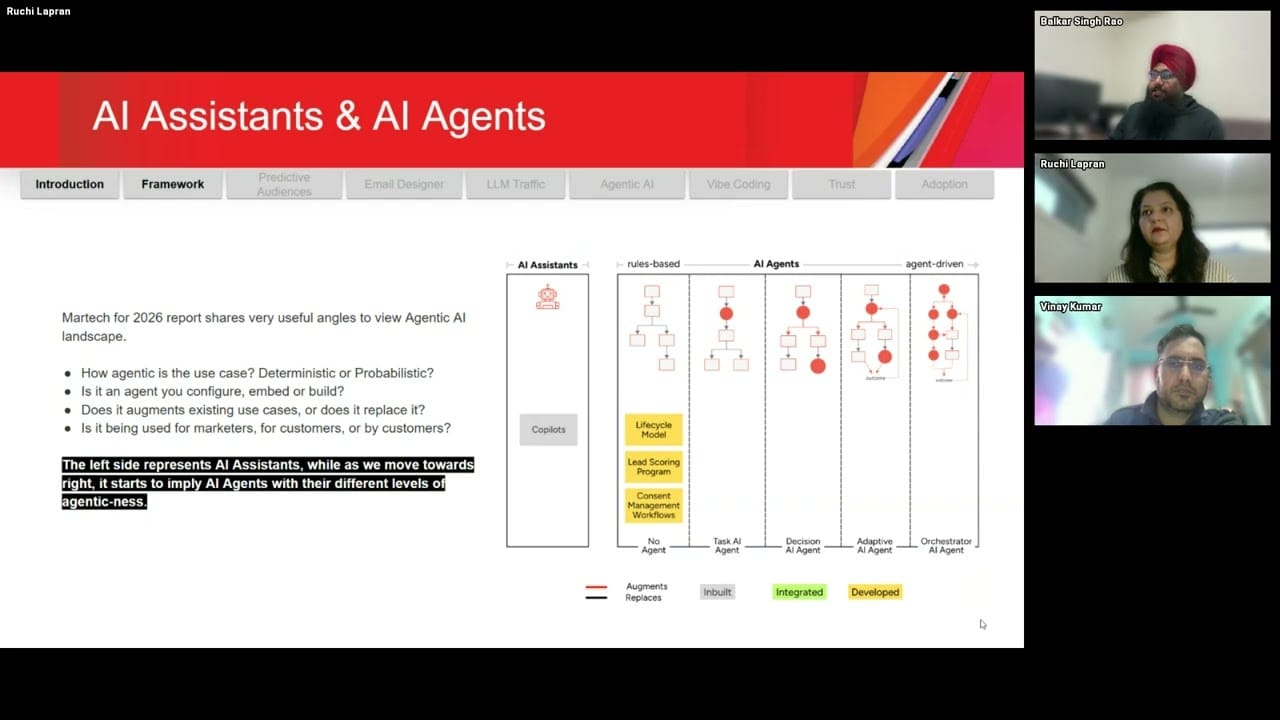
Adobe Marketo Engage User Groups | 20251222 | 1:00:01
This session from Adobe Marketo Engage User Groups covered a lot of ground. 3 segments stood out as worth your time. Everything below links directly to the timestamp in the original video.
A Marketo Webhook-to-LLM Pattern That Turns Lead Data Into a Reusable Data Cleaning Engine
Topic: campaign-architecture | Speaker: Balkar Singh Rao
A practitioner demonstrated a meta-workflow architecture in which Marketo sends lead field data via webhook to an intermediary layer — either custom code or a no-code automation platform — which constructs a dynamic prompt, calls an LLM, and writes the response back to the lead record. The key insight is that the webhook payload defines the context (which fields to send) and the intermediary defines the instruction (what to do with those fields), and combining these two variables unlocks a broad range of use cases from a single repeatable pattern. Specific applications discussed included fuzzy data normalization across multiple field types, translating opaque system error codes into plain-language explanations, and categorizing open-ended free-text responses into structured values.
For teams without developer access, the same architecture can be implemented using integration platforms with native AI agent nodes, avoiding the need to build or host custom code. A practitioner noted a preference for integrating with existing platforms over building bespoke applications, framing the decision around business problem fit rather than technical preference. The session also surfaced an important scope constraint: the pattern is best suited to tasks where probabilistic outputs are acceptable. Deterministic use cases — such as lead scoring — were explicitly flagged as poor candidates for this approach.
The broader mental model offered is that once Marketo can pass context to an LLM, any transformation task that a practitioner could perform manually in a chat interface becomes automatable at scale. This reframing positions the webhook-to-LLM architecture not as a feature but as a programmable interface between your instance and AI reasoning.
Key takeaways:
- The webhook payload controls what data Marketo sends to the LLM; the system prompt embedded in the intermediary layer controls what the LLM does with it — changing either variable produces a different use case from the same underlying architecture.
- Practical applications include fuzzy field normalization (country, company name, persona classification), error code explanation, and free-text categorization into structured values — all tasks where probabilistic outputs are acceptable.
- No-code integration platforms with native AI agent nodes can replace custom-coded middleware for teams without developer resources, keeping the data flow pattern identical.
- Agentic workflows are not universally superior to deterministic ones — use cases requiring predictable, rule-based outcomes are better served by traditional Marketo logic.
- Controlling the webhook payload also controls data privacy: fields excluded from the payload are never sent to the LLM, allowing practitioners to scope exposure intentionally.
Why this matters: If your team is manually cleaning field values or translating system errors into human-readable notes, this webhook-to-LLM pattern likely applies to your instance today. The architecture is more reusable than it first appears — understanding the meta-workflow unlocks a long list of data quality applications.
🎬 Watch this segment: 33:42
LLM Referral Traffic Is Already Trackable in Marketo Smart Lists — And It Signals Higher Intent
Topic: integrations | Speaker: Balkar Singh Rao
A practitioner shared a low-effort tactic for identifying leads who arrived via AI-powered chat interfaces: tools like ChatGPT and Perplexity automatically append UTM source parameters to outbound links, meaning clicks from within an active chat session can be captured using a standard smart list filter in Marketo today, without any additional instrumentation. The signal is available now and requires no new integrations to surface.
The practical framing offered is that a click from within an LLM chat session represents stronger intent than a generic search referral, because the user was actively engaged in a conversation when they followed the link. However, a nuance was flagged: the nature of that intent remains ambiguous — it may reflect purchase consideration, competitive research, or career interest — so the signal is best treated as a meaningful qualifier rather than a definitive buying indicator.
For practitioners thinking about attribution and audience segmentation, this represents an emerging source channel worth tracking proactively, before LLM-referred traffic becomes a standard reporting category.
Key takeaways:
- ChatGPT and Perplexity automatically stamp UTM source parameters on many outbound links, making LLM-referred clicks detectable in Marketo smart lists using existing filter logic — no new setup required.
- A click from within an LLM chat session can be treated as a higher-intent signal than a generic search click, though the specific nature of the intent remains unknown.
- Building a smart list segment for LLM-source traffic now allows teams to begin accumulating data on this channel before it becomes a standard attribution category.
- Intent signals from LLM traffic should be qualified further before triggering high-touch actions — the source alone does not distinguish purchase intent from research or competitive interest.
Why this matters: LLM-referred traffic is already hitting your Marketo instance and you may not be segmenting for it. This is a tactic you can implement in a smart list today, before the channel becomes significant enough to demand a proper attribution framework.
🎬 Watch this segment: 28:50
Marketo Predictive Audiences: Practical Constraints and Use Cases Practitioners Should Know Before Deploying
Topic: scoring-lifecycle | Speaker: Ruchi Lapran
A practitioner provided a detailed walkthrough of Marketo's Predictive Audiences feature, positioning it as a task-scoped AI capability that augments segmentation logic with ML-derived likelihood scores rather than replacing existing campaign workflows. The feature's filters — including likelihood to attend, likelihood to register, likelihood to unsubscribe, and lookalike audience variants — each carry specific usage constraints that affect where and how they can be applied. Key operational limits covered: predictive filters are batch-only, capped at five per smart campaign, incompatible with external smart lists, limited to a one-million-person input pool, and configured to auto-abort the campaign if an evaluation error occurs. These constraints are not prominently surfaced in general documentation and directly affect implementation planning.
Two concrete use cases were walked through. The first involved using predictive engagement scores to target only the highest-propensity segment for a product launch, reducing send volume while improving conversion rates, with a defined iteration loop for expanding or optimizing based on results. The second covered using predictive registration modeling for event campaigns, enabling budget allocation and follow-up planning based on projected registration volumes before a campaign launches. Both examples treated Predictive Audiences as an input signal that feeds into downstream automation rather than as an autonomous actor.
A practitioner was explicit about what the feature does not do: it does not replace traditional lead scoring, does not route leads automatically, and does not send communications on its own. Its value is realized when paired with deterministic Marketo workflows — the ML layer provides the prioritization signal, and the campaign architecture provides the action. This framing is useful for setting internal expectations and scoping deployment conversations with stakeholders.
Key takeaways:
- Predictive Audiences filters are batch-only, limited to five per smart campaign, unsupported in external smart lists, and will auto-abort a campaign on evaluation error — account for these constraints in any implementation plan.
- The feature is most effective as an input signal paired with deterministic automation: high-propensity scores triggering fast-track nurtures, sales alerts, or suppression logic — not as a standalone decision-maker.
- Precision send use cases (e.g., targeting only the top likelihood tier for a product launch) can reduce campaign cost while improving engagement metrics, with a built-in iteration model for expanding to broader segments.
- Predictive registration modeling for events allows teams to forecast expected registrations from a segmented list before launch, enabling earlier budget allocation and follow-up planning.
- Predictive Audiences does not replace lead scoring, does not auto-route leads, and does not send emails autonomously — stakeholder expectations should be scoped accordingly before deployment.
Why this matters: Predictive Audiences is frequently discussed but less frequently deployed correctly — the operational constraints around batch-only execution, filter limits, and auto-abort behavior are the details that determine whether your implementation works as expected. This walkthrough covers the boundaries practitioners actually encounter.
🎬 Watch this segment: 9:50
Content summarized from publicly available MUG recordings. Not affiliated with Adobe. Summaries reflect my interpretation — always validate before implementing in your environment.
This is a personal project by JP Garcia. I work at Kapturall but this publication is independent and not affiliated with or endorsed by my employer. All credit belongs to the original speakers and Adobe Marketo Engage User Groups. I curate and link back to source — I never re-upload or reproduce full sessions. Full disclaimer →