Original source: Adobe Marketo Engage User Groups
This article is an editorial summary and interpretation of that content. The ideas belong to the original authors; the selection and writing are by Marketo Ops Radar.
This video from Adobe Marketo Engage User Groups covered a lot of ground. 6 segments stood out as worth your time. Everything below links directly to the timestamp in the original video.
If your team has been waiting for a lower-friction entry point to Marketo API automation, this deployment pattern reduces the setup to credential entry and a few button clicks — before you ever touch a line of code.
A Plug-and-Play Marketo MCP Template That Deploys in Minutes Without Writing Code
A practitioner demonstrated a pre-built Marketo MCP server template hosted on a cloud coding platform, showing that the entire deployment path — from cloning the template to executing a natural language Marketo query — requires no programming knowledge if the existing 40+ tool calls meet the team's needs. The template is configured by entering API credentials, publishing, and then connecting the resulting URL to an AI playground or assistant interface. Within minutes, a practitioner was able to retrieve a specific lead ID by typing a plain-English request.
The cloud hosting approach was emphasized as a meaningful practical choice: unlike local environments, a hosted deployment produces a stable, persistent URL that AI agents can reliably reach without manual tunneling or restarts. The presenter positioned this as the recommended path for any production use, while local setup remains useful for testing and development.
For teams that want to extend or modify the template — adding, removing, or customizing tool calls — some familiarity with running scripts and working alongside an LLM as a coding partner is required. But for teams ready to adopt the existing capability set, the barrier to initial use is deliberately minimal.
"if you just want to use the existing 40 tools, you can literally just come right in here, press the button like I showed you, and then you can start using it right away without knowing any programming knowledge. So that's why I call it a plug-and-play template."
Using a Tunneling Service to Expose a Local Marketo MCP Server for AI Agent Access
When running an MCP server locally during development, a practitioner demonstrated how a tunneling service bridges the gap between a laptop-hosted process and the public internet — allowing external AI providers to route tool call requests inbound. The pattern involves starting the local server on a fixed port, launching the tunnel, copying the resulting public URL, and registering it as a custom connector in the AI assistant interface. This approach makes local testing viable without needing to deploy to a hosted environment first.
A key operational caveat: on the free tier of common tunneling services, the public URL changes each time the tunnel is restarted. This means any Claude, OpenAI, or other AI interface configured with that URL must be updated accordingly. For anything beyond ad hoc testing, a stable hosted deployment eliminates this friction entirely.
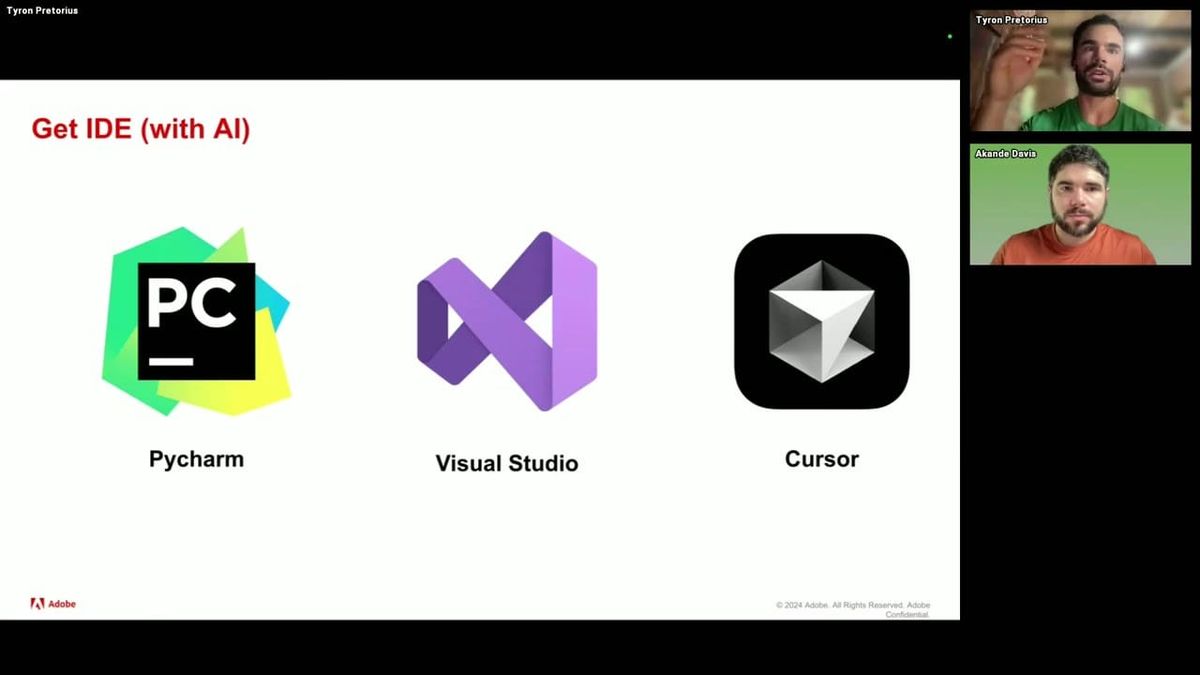
The session also covered the IDE recommendation for this workflow. Among the common options, one with a native AI agent sidebar was highlighted as particularly useful — it shows proposed code modifications in context and lets practitioners accept or reject them inline, which lowers the barrier for those working alongside an LLM rather than writing code independently.
"even if you went to like claw chat, OpenAI chat, it would be able to walk you through these steps to help you get set up and started. If you just gave it the GitHub URL, which I cloned a few minutes ago, if you gave it that and asked it, how do I set up this project in PyCharm, Cursor, or Visual Studios, it will walk you through the steps I'm doing now."
A Two-Layer Test Framework for Validating All Marketo MCP Tool Calls Before Production
A practitioner shared a structured pre-deployment validation approach for a Marketo MCP server: test the underlying API functions directly first, then test the same operations through the MCP abstraction layer. This two-layer sequencing matters because the MCP server is a wrapper — if a base function is broken, the MCP tool call will fail for a different reason than an MCP configuration issue. Separating these layers isolates failure modes and speeds up debugging. The test suite covered over 40 functions, split into read-only, write-only, and full test modes.
For write tests, the approach required pre-creating a small set of simple test assets in Marketo — a folder, an email program with a future-dated send time, batch and trigger campaigns, and a requestable campaign set to active. These assets served as stable targets across all write operations, including scheduling, activating, deactivating, cloning, and requesting campaigns. A practical detail: test variables entered during the first run (folder names, campaign names, test email addresses) are cached to a config file, so subsequent full-test runs proceed without re-prompting — useful for regression testing and CI workflows.
An automated cleanup step at the end of each write test run removed all assets created during the test, keeping the Marketo instance tidy. The session also confirmed that API-driven actions appear in Marketo's audit log under the API user associated with the credentials — a useful operational detail for teams that need change attribution or want to distinguish AI-agent actions from human ones.
"I want to test all the marquetto functions first because I want to make sure that every single one of these works correctly before we try and access them through the MCP server because the MCP server is obviously a layer on top and adds a little bit of abstraction. So before testing all of this, I want to test all the Marquetto functions directly first to make sure there are no issues."
Three Marketo MCP Use Cases: Personal Campaign Assistant, ICP Scoring Agent, and Slack-Based MQL Triage
A practitioner walked through three concrete use cases for a Marketo MCP server, each representing a different point on the complexity and integration spectrum. The first is a personal campaign operations assistant running in a desktop AI client, configured with persistent memory so that operational preferences — such as which program template to clone for a given campaign type — are retained across sessions. A key configuration recommendation: set all read operations to always-allow, but require explicit approval for write operations (cloning, creating, updating, deleting) until the team has built sufficient confidence in the agent's behavior.
The second use case layers additional tools on top of the MCP connection in an AI playground environment: a knowledge base describing ideal customer profiles for ICP-aware scoring decisions, and web search for real-time company context that can be injected into personalized email generation. The example illustrated how an agent could reference a recent funding announcement when composing outreach — without any manual research by the marketer. The same environment could also be used to rebuild rule-based processes (such as duplicate merging logic with field priority hierarchies) as natural-language-instructed AI workflows.
The third use case demonstrated a Slack-integrated MQL triaging agent that spans Marketo, Salesforce, and Gmail. When a sales team member asks why a lead MQL'd, the agent queries Marketo activity history, interprets the relevant signals, and responds in natural language. If the rep then asks to assign the lead and send an outreach email, the agent uses its Salesforce and Gmail tool connections to execute those actions without leaving the Slack thread. This pattern shows how MCP-connected agents can reduce context-switching for sales and RevOps teams handling MQL review.
"if one of your sales team sees this and they ask whoops and they say, "Okay, why did this lead MQL?" And they get the answer to that question, they can say, "Please assign this lead to me in Salesforce." And then please send them them an email. And then the AI agent will use the Salesforce and Gmail tools that it has to carry out that functionality."
Role-Based Access Control, Cross-Platform MCP Patterns, and Debugging Marketo-to-Salesforce Handoffs
A Q&A session surfaced several practical considerations for teams evaluating or extending the MCP pattern. On LLM compatibility: the MCP server design is provider-agnostic, meaning any AI model can be used as the reasoning layer. The MCP acts purely as a translation layer between natural-language tool call requests and Marketo API calls — the choice of underlying model is independent of the server architecture.
A practitioner confirmed that the same MCP pattern applies to any platform with a documented API. The demonstrated multi-system MQL triage agent — spanning Marketo, Salesforce, and Gmail — was built by creating separate function scripts for each platform and wrapping them all in a single MCP server. This makes the pattern reusable across the marketing and revenue technology stack without rebuilding from scratch for each system.
On role-based access control, a practitioner suggested that separate endpoints within the same MCP server — each with distinct API keys — could serve as a lightweight RBAC mechanism. For example, a read-only analytics endpoint and a write-enabled email programs endpoint could be configured independently, with different credentials issued per role. This approach was noted as untested in production but architecturally feasible and potentially implementable in minutes with AI assistance. The most concrete current use case shared was debugging Marketo-to-Salesforce handoff failures: when expected lead handoffs don't occur, an AI agent with access to both systems can inspect field states in both platforms simultaneously, significantly reducing triage time.
"you could set up different endpoints here. So, you could have like um like a data analytics endpoint which only has access to read functionality. And then if it's like an email editing person, you could have like a foreign and then that has all the email functions. And then you could have different credentials associated with each one like a different you could have different MCP API key for each one."
Extending a Marketo MCP Server with New API Tools Using AI-Generated Code from Official Docs
A practitioner demonstrated a repeatable workflow for adding new Marketo API capabilities to an existing MCP server: copy the relevant section of the official API documentation, paste it into an AI assistant with a prompt requesting both a new Marketo function and its corresponding MCP tool call wrapper, and accept the proposed changes. The AI generates both the underlying function and the wrapper in sequence, prompting for approval at each step. The result is a fully integrated new tool call without manually writing or understanding the code.
The template itself was not built from scratch. A practitioner described forking an existing open-source starting point, then using AI to refactor it into a cleaner two-file architecture — separating the Marketo API functions from the MCP server wrapper — and adding the test suite on top. This 'building on the shoulders of giants' approach significantly compressed development time and is worth noting for teams that want to adapt the pattern for other platforms.
Removing tools follows an even simpler path: delete the corresponding function and tool call from the server files, either manually or via the AI assistant. The practitioner noted that deletions are simple enough to handle manually, while additions benefit from AI generation to avoid mismatches between the function signature and the MCP wrapper's description.
"I rarely code by myself anymore. I always go through Claude to do it. So I recommend that even if you're not familiar with coding, it's even easier nowadays. Uh because even you'd use the same approach as a developer who's been programming for 20 years, like everyone's using AI now to program."
Also mentioned in this video
- The session agenda, defines Model Context Protocol (MCP) as a standard enabling… (2:50)
- Hosting the MCP server on Replit is preferable to running it locally, noting… (36:03)
Summarised from Adobe Marketo Engage User Groups · 57:22. All credit belongs to the original creators. Streamed.News summarises publicly available video content.