
Adobe Champion Deep Dive: Building Smarter Flows with Webhooks & Self-Service Flow Steps — Key Takeaways
If your webhook error handling is just 'check the activity log when something breaks,' you're missing a fully buildable retry and alerting system that lives inside Marketo. The 'Webhook is Called' trigger is more powerful than most practitioners use it.

Adobe Marketo Engage User Groups | 20260224 | 52:58
This session from Adobe Marketo Engage User Groups covered a lot of ground. 4 segments stood out as worth your time. Everything below links directly to the timestamp in the original video.
Webhook error handling pattern: retry automation and static list investigation built inside Marketo
Topic: integrations | Speaker: Daril Shai (Senior Consultant, Deloitte South Asia)
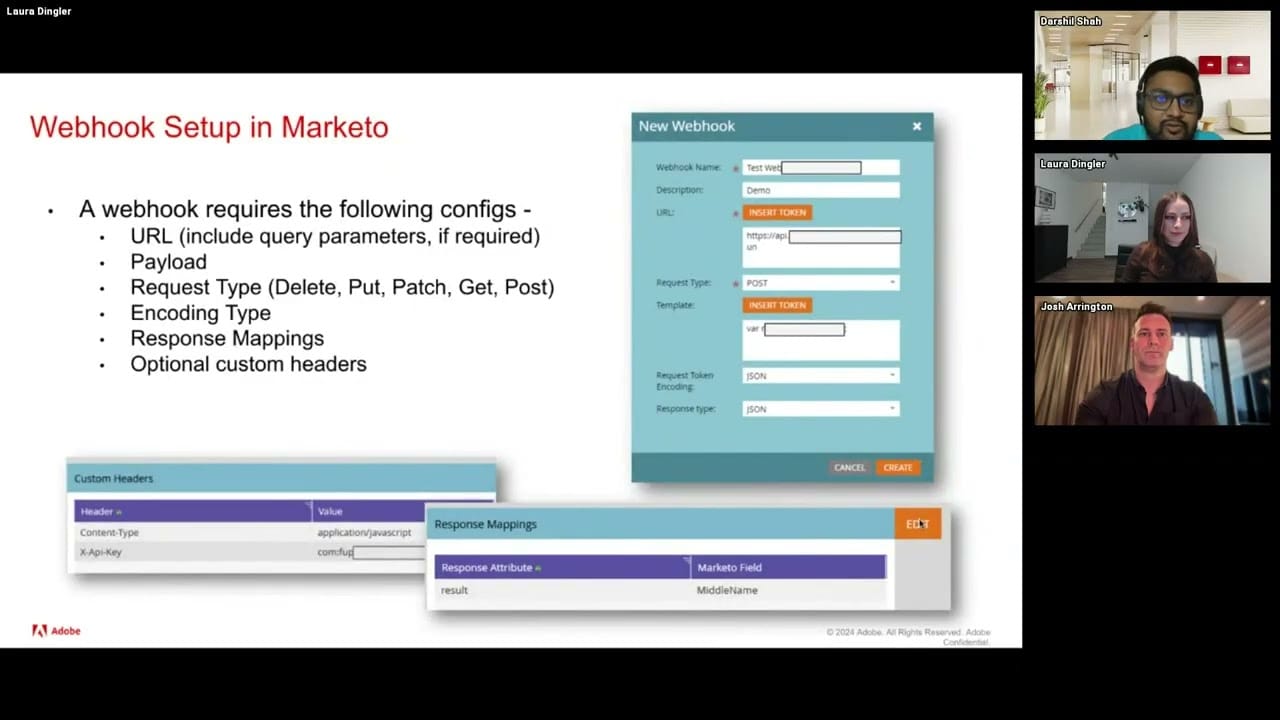
The 'Webhook is Called' trigger — combined with Response and Error Type constraints — lets you build retry logic and error recovery entirely within Marketo smart campaigns. For predictable errors (service timeouts, known failure states), you can trigger a retry flow automatically. For unexpected errors, alert notifications fire to you or your developer with error details attached. Any lead that hits an error gets added to a static list for activity log investigation, keeping your error triage organized without external tooling.
The session also clarified the hard limits that make this error handling necessary: webhooks process one record at a time, so 100,000 calls at 50ms each takes roughly 1.5 hours to complete. The 30-second timeout means Marketo logs a timeout error and moves on — but a timeout doesn't confirm the call failed, it just means Marketo stopped waiting. Webhook flow steps are also trigger-campaign-only; nesting via 'Campaign is Requested' to run them in batch is technically possible but explicitly flagged as not recommended.
The distinction between Response (the payload returned) and Error Type (the HTTP status reason phrase) as separate constraints gives you granular branching — you can route different error conditions to different recovery paths rather than treating all failures identically.
Key takeaways:
- Use 'Webhook is Called' with Error Type and Response constraints to branch on specific failure modes, not just generic errors.
- Build a retry smart campaign that fires on known transient errors (e.g., service busy) to automate recovery without manual intervention.
- Add any lead hitting a webhook error to a static list immediately so you have a clean investigation queue without digging through activity logs manually.
- A 30-second timeout error in Marketo does not mean the webhook call failed — the backend may have processed it; build your retry logic to account for possible duplicates.
Why this matters: If your webhook error handling is just 'check the activity log when something breaks,' you're missing a fully buildable retry and alerting system that lives inside Marketo. The 'Webhook is Called' trigger is more powerful than most practitioners use it.
🎬 Watch this segment: 16:15
Self-service flow steps process 10,000 records in 10 batches — webhooks send them all at once and time out
Topic: integrations | Speaker: Josh Harrington (Chief Marketing Technology Officer, Caproll)
The architectural difference between webhooks and self-service flow steps isn't cosmetic. Webhooks fire all records simultaneously and require your backend to respond within 30 seconds — for a 10,000-lead flow, every single request hits your endpoint at once. Flow steps send in batches of 1,000 with a callback URL, so your backend processes 10 sequential batches on its own timeline with no timeout ceiling. The distinction matters most in two scenarios: high-volume sends (like an SMS blast to thousands of gym members) and multi-step flows that depend on a response before continuing.
The gym SMS scenario surfaces a specific failure mode practitioners often miss: running a webhook in a batch campaign looks like it succeeds in the UI but logs 'failed — cannot call webhooks in batches' in the activity log. The workaround of nesting trigger campaigns gets around the batch restriction but still exposes you to the 30-second timeout at volume, and worse, a timeout error doesn't confirm failure — Marketo simply doesn't know what happened.
Flow steps also add purposefully structured UI — labeled fields, icons, and fields tailored to the specific action — versus webhooks' single-field interface of just 'which webhook to call.' The underlying capability difference (batch processing, async execution, custom fields, per-flowstep activity logging) makes flow steps a structural upgrade rather than just a UX improvement.
Key takeaways:
- Webhooks sent to 10,000 leads all fire simultaneously and must complete in 30 seconds — flow steps send 1,000 at a time with no timeout.
- A webhook 'succeeding' in batch campaign UI is misleading — check activity logs for the silent 'cannot call webhooks in batches' failure.
- Flow steps execute asynchronously and block the next flow step until a response returns — webhooks don't wait, so any downstream step using webhook response data will run before the data arrives.
- Each self-service flow step generates its own activity type, usable as triggers and filters in smart campaigns — webhooks have no equivalent.
Why this matters: If you're using webhooks for anything that runs against more than a few hundred records or feeds data into a downstream flow step, you're likely hitting silent failures or race conditions you haven't diagnosed yet. Self-service flow steps solve both problems architecturally.
🎬 Watch this segment: 20:20
Flow step async execution, per-step activity triggers, and dynamic dropdowns — three capabilities webhooks can't replicate
Topic: integrations | Speaker: Josh Harrington (Chief Marketing Technology Officer, Caproll)
Three flow step capabilities with no webhook equivalent: first, async execution that holds the flow until a response returns — critical for any flow that fetches data (e.g., a member's gym activity summary) and then uses it in the next step (e.g., populating an email token). With a webhook in step one, Marketo immediately executes step two before the response arrives, producing blank tokens or requiring manual wait-step workarounds. Flow steps gate progression automatically.
Second, each self-service flow step generates its own unique activity type with storable attributes — data that doesn't have to live on the lead record. In the gym scenario, a 'member activity updated' activity stores visit count as a constraint, enabling a smart campaign filter that branches: members with more than one visit get the monthly recap email; members with zero visits get a motivational re-engagement message. This branching is impossible with webhooks, which have no dedicated activity type.
Third, dynamic dropdowns pull their option lists from your backend system and refresh automatically every 24 hours by default, with manual refresh available in Admin. In a large gym network where locations open and close regularly, this means the location picklist in your flow step always reflects current active locations — no manual list maintenance required. Webhooks have no equivalent field type.
Key takeaways:
- Use flow step async execution for any sequence where step 2 depends on data returned by step 1 — webhooks will execute step 2 before the response arrives.
- Store outcome data in per-flowstep activity attributes (not just lead fields) and use those as smart campaign trigger/filter constraints to enable conditional branching post-execution.
- Dynamic dropdowns in flow steps auto-refresh from your backend every 24 hours — use them for any picklist tied to data that changes regularly (locations, products, teams).
- Manual refresh of dynamic dropdown options is available in Admin when you need immediate updates outside the 24-hour cycle.
Why this matters: The async execution gap alone should change how you architect any multi-step flow that depends on external data — your webhook-based flows are likely running downstream steps against empty fields. The per-step activity type unlocks conditional logic that has no webhook equivalent.
🎬 Watch this segment: 25:42
Three build paths for self-service flow steps: Workato packaged, N8N with downloadable template, or custom code on Adobe IO
Topic: integrations | Speaker: Josh Harrington (Chief Marketing Technology Officer, Caproll)
Building a self-service flow step requires an endpoint layer that handles Marketo's callback pattern — not every integration platform supports the specific multi-endpoint structure required. Workato is the only pre-packaged solution currently available with a purpose-built flow step component. N8N works well and is a viable option for teams without enterprise iPaaS budgets; a pre-built N8N workflow template was shared (with QR code and download link in the session) that handles the full callback structure. For teams with developer resources, custom code deployable to Adobe IO, Azure, or AWS is also viable — Adobe's GitHub has an example. The underlying structure, regardless of platform, is described as 'a fancy wrapper on top of a webhook.'
Installation is handled through Admin > Service Providers, where you add a URL pointing to your deployed service. Field mapping — what goes out of Marketo and what comes back — is configured via dropdown UI rather than dot notation, making it significantly less error-prone than webhook response mapping. An API key secures the flow step so it can't be called without authorization.
Use cases explicitly called out where flow steps outperform webhooks: AI model integrations (prompt/response cycles frequently exceed 30 seconds at batch scale), lead enrichment, bulk deduplication (flagged as Marketo's longest-running API process), custom object create/update/delete (no native flow action exists), CRM integrations with non-Salesforce/Dynamics systems or non-standard objects, and internal messaging to Slack or Teams with approval workflow interactivity.
Key takeaways:
- N8N is a cost-effective build path with a downloadable pre-built template — viable for mid-market teams without Workato licenses.
- Admin > Service Providers installation uses dropdown field mapping instead of dot notation — significantly reduces misconfiguration risk versus webhook response mapping.
- AI integrations are a priority use case: prompt/response cycles often exceed 30 seconds at batch scale, making them a direct fit for flow step async execution.
- Custom object create/update/delete has no native Marketo flow action — self-service flow steps are the only way to add this directly to smart campaign flows.
Why this matters: If your team has been avoiding self-service flow steps because building one seemed like a major dev project, the N8N template path changes that calculus. The Admin installation UI is also materially simpler than webhook configuration — which means fewer mapping errors from non-developers.
🎬 Watch this segment: 30:00
Content summarized from publicly available MUG recordings. Not affiliated with Adobe. Summaries reflect my interpretation — always validate before implementing in your environment.
This is a personal project by JP Garcia. I work at Kapturall but this publication is independent and not affiliated with or endorsed by my employer. All credit belongs to the original speakers and Adobe Marketo Engage User Groups. I curate and link back to source — I never re-upload or reproduce full sessions. Full disclaimer →