
San Diego Marketo User Group: Model Context Protocol (MCP) for Marketo Made Easy — Key Takeaways
If your team has been waiting for a lower-friction entry point to Marketo API automation, this deployment pattern reduces the setup to credential entry and a few button clicks — before you ever touch a line of code.

Adobe Marketo Engage User Groups | 20260323 | 57:22
This session from Adobe Marketo Engage User Groups covered a lot of ground. 6 segments stood out as worth your time. Everything below links directly to the timestamp in the original video.
A Plug-and-Play Marketo MCP Template That Deploys in Minutes Without Writing Code
Topic: use-case | Speaker: Tyron Pretorius
A practitioner demonstrated a pre-built Marketo MCP server template hosted on a cloud coding platform, showing that the entire deployment path — from cloning the template to executing a natural language Marketo query — requires no programming knowledge if the existing 40+ tool calls meet the team's needs. The template is configured by entering API credentials, publishing, and then connecting the resulting URL to an AI playground or assistant interface. Within minutes, a practitioner was able to retrieve a specific lead ID by typing a plain-English request.
The cloud hosting approach was emphasized as a meaningful practical choice: unlike local environments, a hosted deployment produces a stable, persistent URL that AI agents can reliably reach without manual tunneling or restarts. The presenter positioned this as the recommended path for any production use, while local setup remains useful for testing and development.
For teams that want to extend or modify the template — adding, removing, or customizing tool calls — some familiarity with running scripts and working alongside an LLM as a coding partner is required. But for teams ready to adopt the existing capability set, the barrier to initial use is deliberately minimal.
"if you just want to use the existing 40 tools, you can literally just come right in here, press the button like I showed you, and then you can start using it right away without knowing any programming knowledge. So that's why I call it a plug-and-play template."
— Tyron Pretorius
Key takeaways:
- A cloud-hosted deployment (rather than local) is the right choice for production use, as it provides a stable URL that AI agents and assistants can access reliably.
- Non-engineers can begin using the existing 40+ Marketo tool calls immediately after entering credentials and publishing — no code modification required.
- Modifying, adding, or removing tool calls requires familiarity with running scripts and working with an LLM as a coding collaborator, but not deep programming expertise.
- AI playgrounds that surface tool call inputs and outputs visually are useful for debugging and understanding what the agent is doing at each step.
- Version control (e.g., GitHub) paired with a cloud hosting platform creates a straightforward path from local development to production deployment.
Why this matters: If your team has been waiting for a lower-friction entry point to Marketo API automation, this deployment pattern reduces the setup to credential entry and a few button clicks — before you ever touch a line of code.
🎬 Watch this segment: 5:38
Using a Tunneling Service to Expose a Local Marketo MCP Server for AI Agent Access
Topic: operations | Speaker: Tyron Pretorius
When running an MCP server locally during development, a practitioner demonstrated how a tunneling service bridges the gap between a laptop-hosted process and the public internet — allowing external AI providers to route tool call requests inbound. The pattern involves starting the local server on a fixed port, launching the tunnel, copying the resulting public URL, and registering it as a custom connector in the AI assistant interface. This approach makes local testing viable without needing to deploy to a hosted environment first.
A key operational caveat: on the free tier of common tunneling services, the public URL changes each time the tunnel is restarted. This means any Claude, OpenAI, or other AI interface configured with that URL must be updated accordingly. For anything beyond ad hoc testing, a stable hosted deployment eliminates this friction entirely.
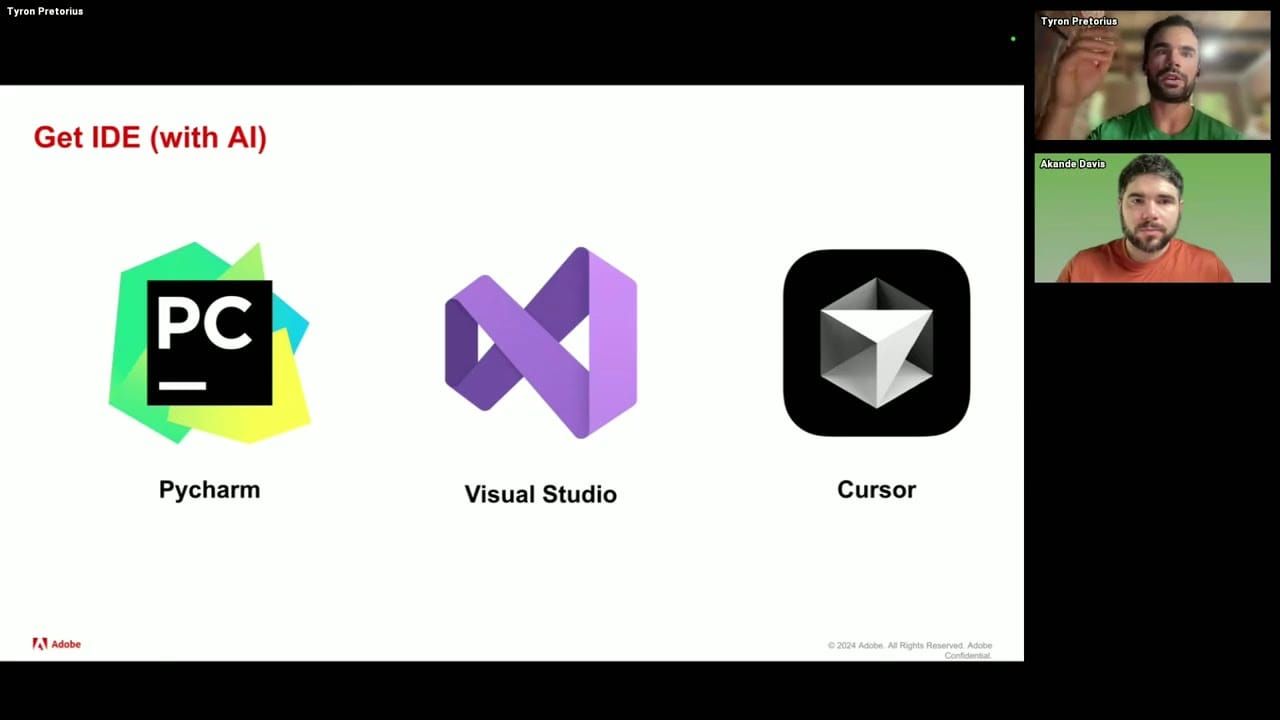
The session also covered the IDE recommendation for this workflow. Among the common options, one with a native AI agent sidebar was highlighted as particularly useful — it shows proposed code modifications in context and lets practitioners accept or reject them inline, which lowers the barrier for those working alongside an LLM rather than writing code independently.
"even if you went to like Claude chat, OpenAI chat, it would be able to walk you through these steps to help you get set up and started. If you just gave it the GitHub URL, which I cloned a few minutes ago, if you gave it that and asked it, how do I set up this project in Cursor, or Visual Studio, it will walk you through the steps I'm doing now."
— Tyron Pretorius
Key takeaways:
- A tunneling service allows a locally-running MCP server to receive requests from external AI providers during development — useful before committing to a hosted deployment.
- Free-tier tunneling services typically generate a new public URL on each restart; any connected AI interface must be updated each time, making this approach unsuitable for production.
- An IDE with a native AI agent sidebar simplifies code modification by surfacing proposed changes inline for acceptance or rejection — recommended for practitioners new to coding.
- A detailed README in the repository means any AI assistant given the repo URL can walk a user through setup steps, reducing dependency on prior programming knowledge.
- The local setup path is best treated as a testing and validation environment; transition to a hosted platform for any workflow intended to run reliably.
Why this matters: Before you commit to a hosted deployment, this local tunneling pattern lets your team validate the full MCP-to-Marketo request chain — just know the free-tier URL instability will bite you if you try to use it beyond testing.
🎬 Watch this segment: 12:12
A Two-Layer Test Framework for Validating All Marketo MCP Tool Calls Before Production
Topic: operations | Speaker: Tyron Pretorius
A practitioner shared a structured pre-deployment validation approach for a Marketo MCP server: test the underlying API functions directly first, then test the same operations through the MCP abstraction layer. This two-layer sequencing matters because the MCP server is a wrapper — if a base function is broken, the MCP tool call will fail for a different reason than an MCP configuration issue. Separating these layers isolates failure modes and speeds up debugging. The test suite covered over 40 functions, split into read-only, write-only, and full test modes.
For write tests, the approach required pre-creating a small set of simple test assets in Marketo — a folder, an email program with a future-dated send time, batch and trigger campaigns, and a requestable campaign set to active. These assets served as stable targets across all write operations, including scheduling, activating, deactivating, cloning, and requesting campaigns. A practical detail: test variables entered during the first run (folder names, campaign names, test email addresses) are cached to a config file, so subsequent full-test runs proceed without re-prompting — useful for regression testing and CI workflows.
An automated cleanup step at the end of each write test run removed all assets created during the test, keeping the Marketo instance tidy. The session also confirmed that API-driven actions appear in Marketo's audit log under the API user associated with the credentials — a useful operational detail for teams that need change attribution or want to distinguish AI-agent actions from human ones.
"I want to test all the Marketo functions first because I want to make sure that every single one of these works correctly before we try and access them through the MCP server because the MCP server is obviously a layer on top and adds a little bit of abstraction. So before testing all of this, I want to test all the Marketo functions directly first to make sure there are no issues."
— Tyron Pretorius
Key takeaways:
- Test Marketo API functions directly before testing them through the MCP layer — this two-step sequence isolates whether a failure is in the underlying function or the MCP wrapper.
- Write tests require minimal but specific pre-created test assets in Marketo; keep them simple and ensure any scheduled campaigns target future dates to avoid false failures.
- Caching test variables to a config file after the first run enables fully automated subsequent test passes — no re-prompting required.
- Include an automated cleanup step in write test suites to remove test-created assets and keep the instance clean between runs.
- API-driven changes made through the MCP server appear in Marketo attributed to the API user, which matters for audit trail and change management visibility.
Why this matters: If you're building or evaluating a Marketo MCP integration, this two-layer validation framework gives you a systematic way to confirm every tool call works before any AI agent touches your production instance.
🎬 Watch this segment: 20:01
Three Marketo MCP Use Cases: Personal Campaign Assistant, ICP Scoring Agent, and Slack-Based MQL Triage
Topic: use-case | Speaker: Tyron Pretorius
A practitioner walked through three concrete use cases for a Marketo MCP server, each representing a different point on the complexity and integration spectrum. The first is a personal campaign operations assistant running in a desktop AI client, configured with persistent memory so that operational preferences — such as which program template to clone for a given campaign type — are retained across sessions. A key configuration recommendation: set all read operations to always-allow, but require explicit approval for write operations (cloning, creating, updating, deleting) until the team has built sufficient confidence in the agent's behavior.
The second use case layers additional tools on top of the MCP connection in an AI playground environment: a knowledge base describing ideal customer profiles for ICP-aware scoring decisions, and web search for real-time company context that can be injected into personalized email generation. The example illustrated how an agent could reference a recent funding announcement when composing outreach — without any manual research by the marketer. The same environment could also be used to rebuild rule-based processes (such as duplicate merging logic with field priority hierarchies) as natural-language-instructed AI workflows.
The third use case demonstrated a Slack-integrated MQL triaging agent that spans Marketo, Salesforce, and Gmail. When a sales team member asks why a lead MQL'd, the agent queries Marketo activity history, interprets the relevant signals, and responds in natural language. If the rep then asks to assign the lead and send an outreach email, the agent uses its Salesforce and Gmail tool connections to execute those actions without leaving the Slack thread. This pattern shows how MCP-connected agents can reduce context-switching for sales and RevOps teams handling MQL review.
"if one of your sales team sees this and they ask whoops and they say, "Okay, why did this lead MQL?" And they get the answer to that question, they can say, "Please assign this lead to me in Salesforce." And then please send them an email. And then the AI agent will use the Salesforce and Gmail tools that it has to carry out that functionality."
— Tyron Pretorius
Key takeaways:
- Enable persistent memory in a desktop AI client to retain campaign-building preferences and operational conventions across sessions — this is what makes it a genuinely useful standing assistant rather than a one-off query tool.
- Set read operations to always-allow and write operations to require approval during an initial trust-building period; shift to always-allow once the agent's behavior is well understood.
- Combine an MCP server with a knowledge base and web search tools in a single agent environment to build ICP-aware scoring or personalized outreach generation that references live external context.
- Hard-coded rule-based processes (e.g., field priority logic for duplicate merging) can be migrated to natural-language-instructed AI agents via MCP, gaining flexibility without rewriting code.
- A Slack-based agent that connects Marketo, Salesforce, and Gmail in a single interface can meaningfully reduce MQL triage friction for sales teams by collapsing multi-system lookups and actions into a conversational thread.
Why this matters: These three use cases move from personal productivity to cross-system automation — if your team is deciding where to start with AI in Marketo, this progression offers a practical on-ramp that scales with your confidence.
🎬 Watch this segment: 38:12
Role-Based Access Control, Cross-Platform MCP Patterns, and Debugging Marketo-to-Salesforce Handoffs
Topic: integrations | Speaker: Tyron Pretorius
A Q&A session surfaced several practical considerations for teams evaluating or extending the MCP pattern. On LLM compatibility: the MCP server design is provider-agnostic, meaning any AI model can be used as the reasoning layer. The MCP acts purely as a translation layer between natural-language tool call requests and Marketo API calls — the choice of underlying model is independent of the server architecture.
A practitioner confirmed that the same MCP pattern applies to any platform with a documented API. The demonstrated multi-system MQL triage agent — spanning Marketo, Salesforce, and Gmail — was built by creating separate function scripts for each platform and wrapping them all in a single MCP server. This makes the pattern reusable across the marketing and revenue technology stack without rebuilding from scratch for each system.
On role-based access control, a practitioner suggested that separate endpoints within the same MCP server — each with distinct API keys — could serve as a lightweight RBAC mechanism. For example, a read-only analytics endpoint and a write-enabled email programs endpoint could be configured independently, with different credentials issued per role. This approach was noted as untested in production but architecturally feasible and potentially implementable in minutes with AI assistance. The most concrete current use case shared was debugging Marketo-to-Salesforce handoff failures: when expected lead handoffs don't occur, an AI agent with access to both systems can inspect field states in both platforms simultaneously, significantly reducing triage time.
"you could set up different endpoints here. So, you could have like a data analytics endpoint which only has access to read functionality. And then if it's like an email editing person, you could have like a foreign and then that has all the email functions. And then you could have different credentials associated with each one like a different you could have different MCP API key for each one."
— Tyron Pretorius
Key takeaways:
- The MCP server is LLM-agnostic — any AI provider can serve as the reasoning layer, so model selection can be driven by capability, cost, or preference independently of the integration architecture.
- The same MCP pattern applies to any API-documented platform; building multi-system agents requires only separate function scripts per platform wrapped in a shared MCP server.
- Separate endpoints with distinct API keys within a single MCP server can approximate role-based access control — a read-only endpoint for analytics, a write-enabled endpoint for campaign operations, each with its own credential.
- Debugging cross-system handoff failures (e.g., Marketo-to-Salesforce lead routing) is a high-value immediate use case: an agent with MCP access to both systems can inspect field states in parallel rather than requiring manual lookup in two interfaces.
- When configuring AI agent access, differentiating read permissions (always-allow) from write permissions (needs approval) is a practical safety pattern regardless of the user role.
Why this matters: If your team is thinking about who should have access to an AI agent with write permissions to Marketo, this endpoint-based RBAC approach offers a workable pattern — even if it requires some architectural planning before it's production-ready.
🎬 Watch this segment: 45:17
Extending a Marketo MCP Server with New API Tools Using AI-Generated Code from Official Docs
Topic: operations | Speaker: Tyron Pretorius
A practitioner demonstrated a repeatable workflow for adding new Marketo API capabilities to an existing MCP server: copy the relevant section of the official API documentation, paste it into an AI assistant with a prompt requesting both a new Marketo function and its corresponding MCP tool call wrapper, and accept the proposed changes. The AI generates both the underlying function and the wrapper in sequence, prompting for approval at each step. The result is a fully integrated new tool call without manually writing or understanding the code.
The template itself was not built from scratch. A practitioner described forking an existing open-source starting point, then using AI to refactor it into a cleaner two-file architecture — separating the Marketo API functions from the MCP server wrapper — and adding the test suite on top. This 'building on the shoulders of giants' approach significantly compressed development time and is worth noting for teams that want to adapt the pattern for other platforms.
Removing tools follows an even simpler path: delete the corresponding function and tool call from the server files, either manually or via the AI assistant. The practitioner noted that deletions are simple enough to handle manually, while additions benefit from AI generation to avoid mismatches between the function signature and the MCP wrapper's description.
"I rarely code by myself anymore. I always go through Claude to do it. So I recommend that even if you're not familiar with coding, it's even easier nowadays. Because even you'd use the same approach as a developer who's been programming for 20 years, like everyone's using AI now to program."
— Tyron Pretorius
Key takeaways:
- Pasting official API documentation into an AI assistant with a structured prompt reliably generates both the underlying API function and its MCP wrapper — no manual coding required to add new tool calls.
- Building on an existing open-source starting point and using AI to refactor and extend it is significantly faster than starting from scratch — a viable approach for teams without dedicated engineering resources.
- Keeping Marketo functions and MCP server wrapper logic in separate files makes the codebase easier to maintain, test, and extend incrementally.
- Removing a tool from the MCP server is simpler than adding one — delete the function and wrapper; additions require AI generation to ensure the wrapper description accurately reflects the function's behavior.
- The same documentation-to-code workflow applies to other platforms — any API with published docs can be added to an MCP server using this pattern.
Why this matters: If there's a Marketo API endpoint your team needs that isn't already in the template, this documentation-to-code workflow closes that gap in minutes — no engineering ticket required.
🎬 Watch this segment: 54:56
Content summarized from publicly available MUG recordings. Not affiliated with Adobe. Summaries reflect my interpretation — always validate before implementing in your environment.
This is a personal project by JP Garcia. I work at Kapturall but this publication is independent and not affiliated with or endorsed by my employer. All credit belongs to the original speakers and Adobe Marketo Engage User Groups. I curate and link back to source — I never re-upload or reproduce full sessions. Full disclaimer →